
Mint Ink vs. The Chaos Machine
Mint ink day… featuring mysterious disappearing graphics and a slightly chaotic machine.

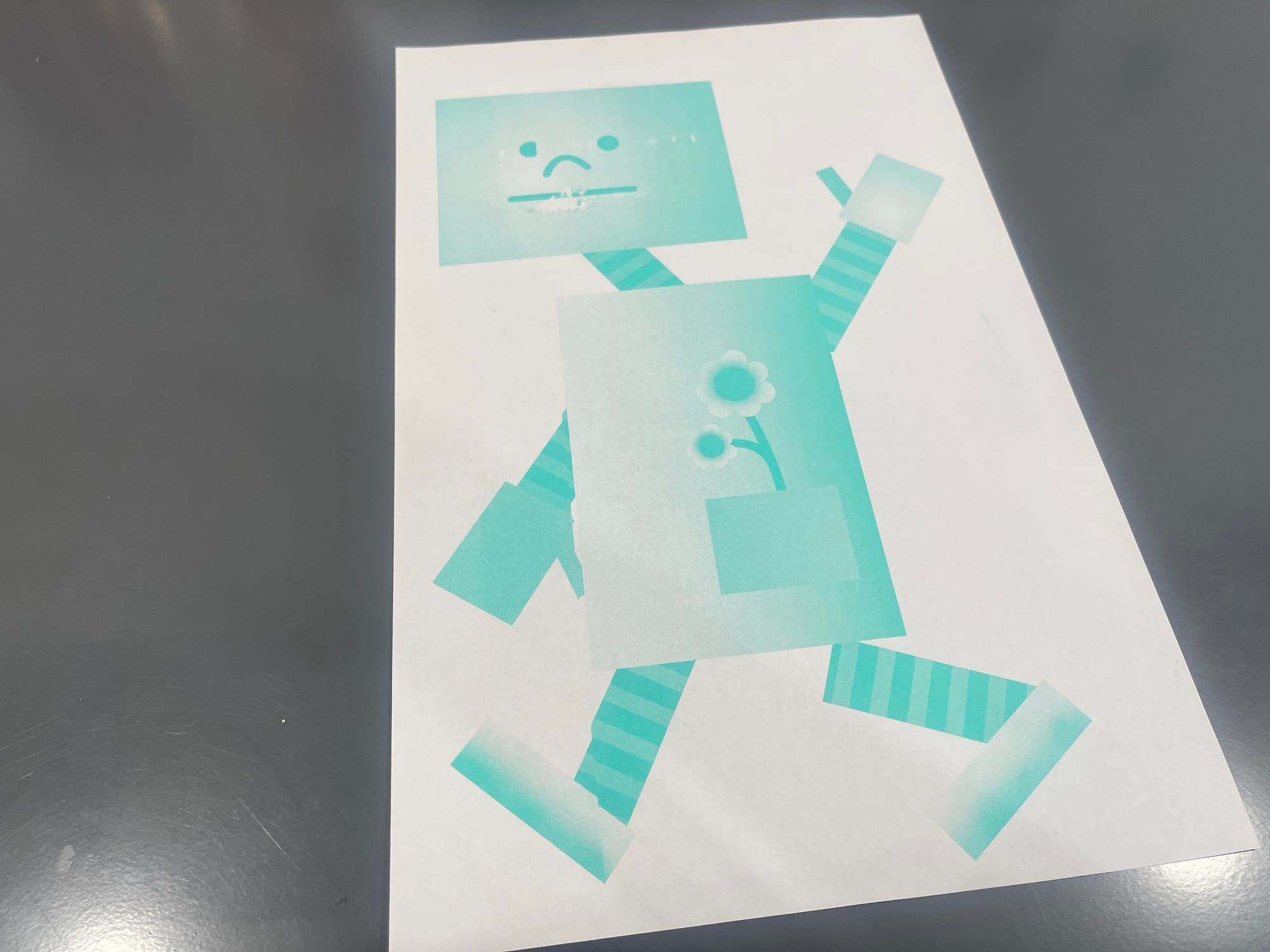
Today again—riso fever is going strong! And today’s color: mint!
But actually, while I was printing with blue ink yesterday, something weird happened with the riso machine. It had this strange error called “line skipping.”
Basically, parts of the graphic just… disappear when the master is made. Like, if it’s supposed to print “ABC,” it suddenly skips B and prints “AC,” as if B never existed. So the final print looks all misaligned and confusing.
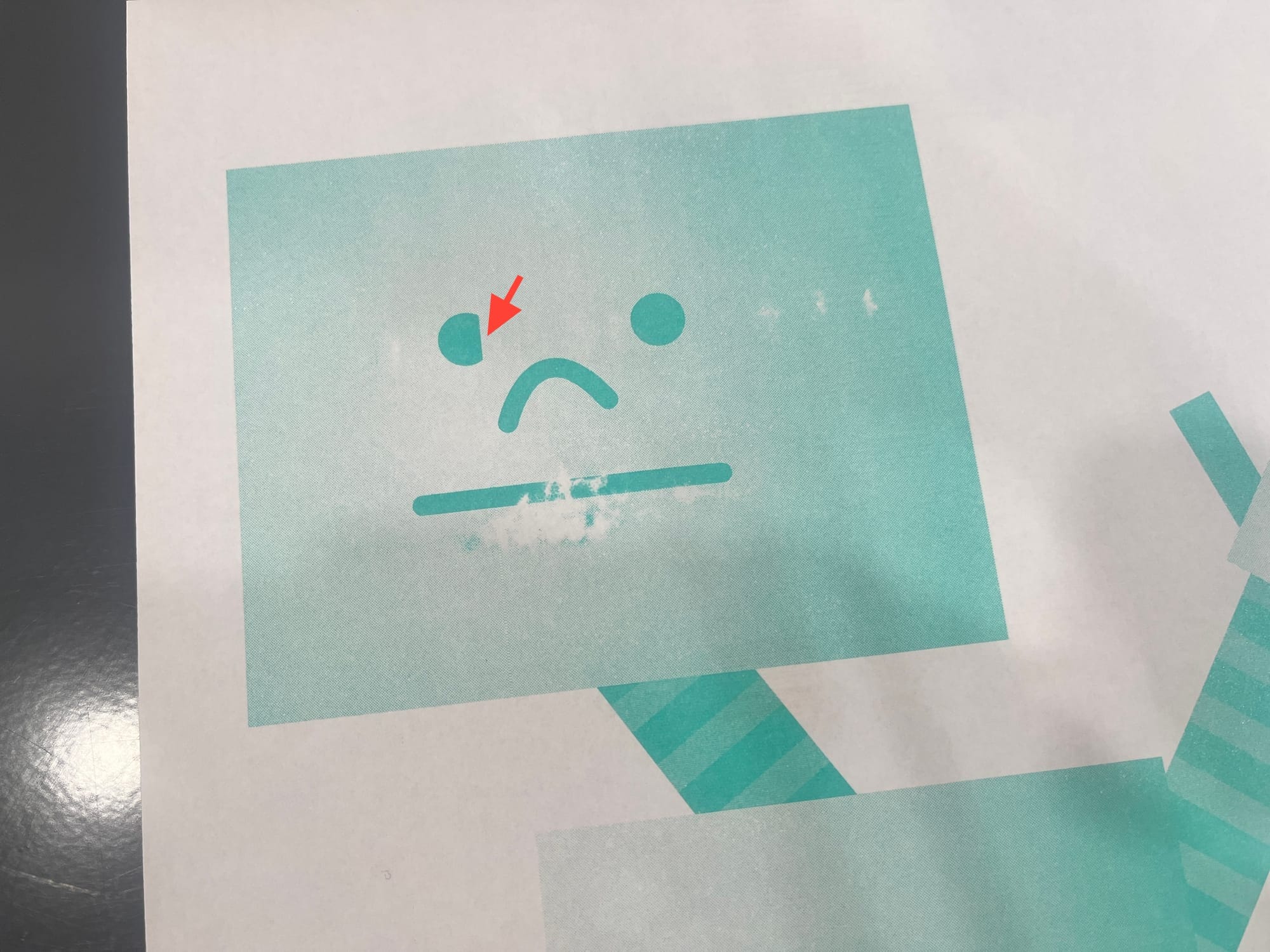
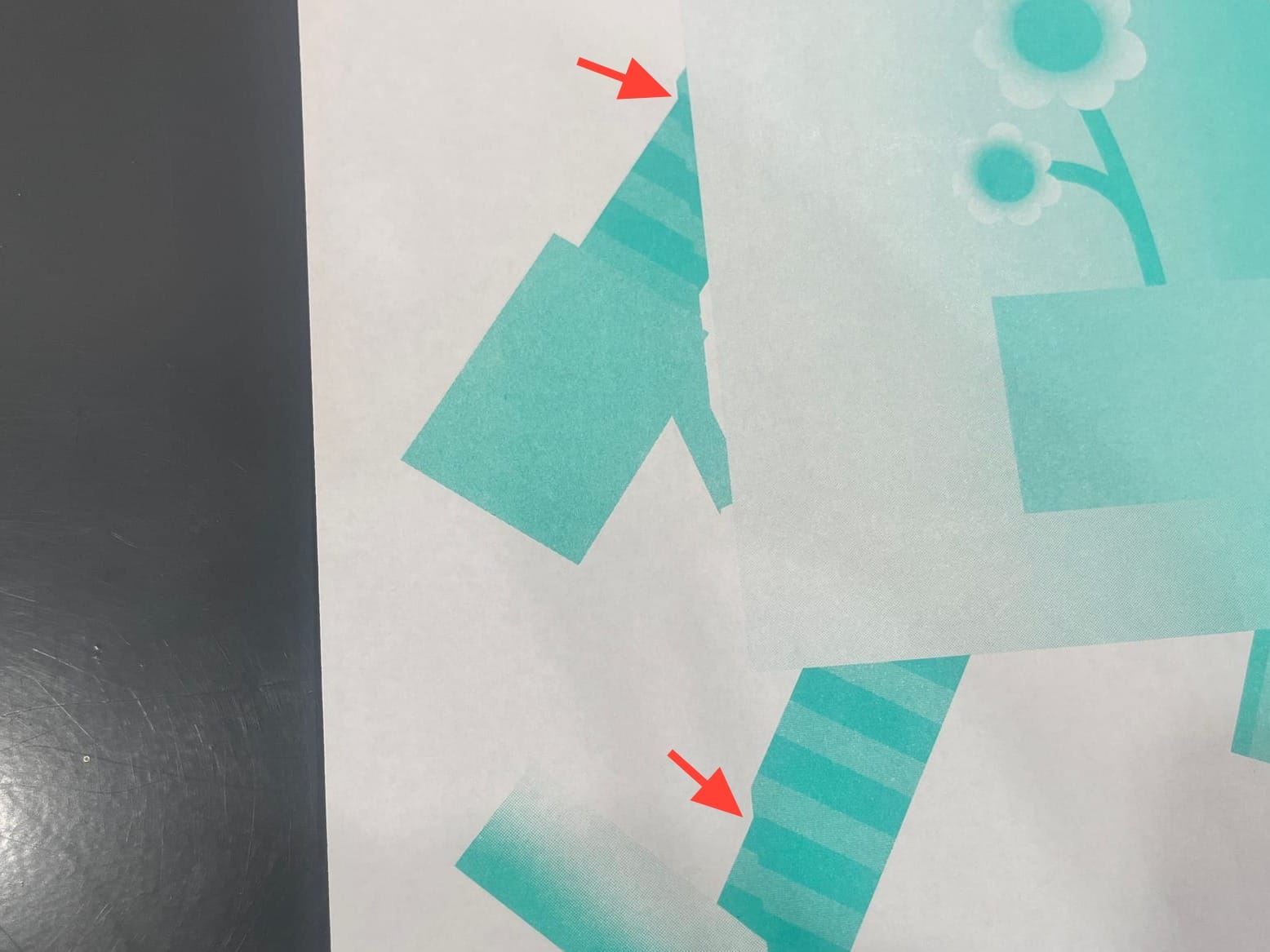
This morning, my husband fixed it, but nope—the line skipping came back. Today, poor Mr. Rectangle ended up with missing parts of his eyes, arms, and legs.
Apparently, you can fix it by wiggling some of the machine’s wiring… but I forgot to ask which wires. And honestly, if I try it myself, I feel like the chances of me breaking the machine are higher than actually fixing it… so I called it a day!
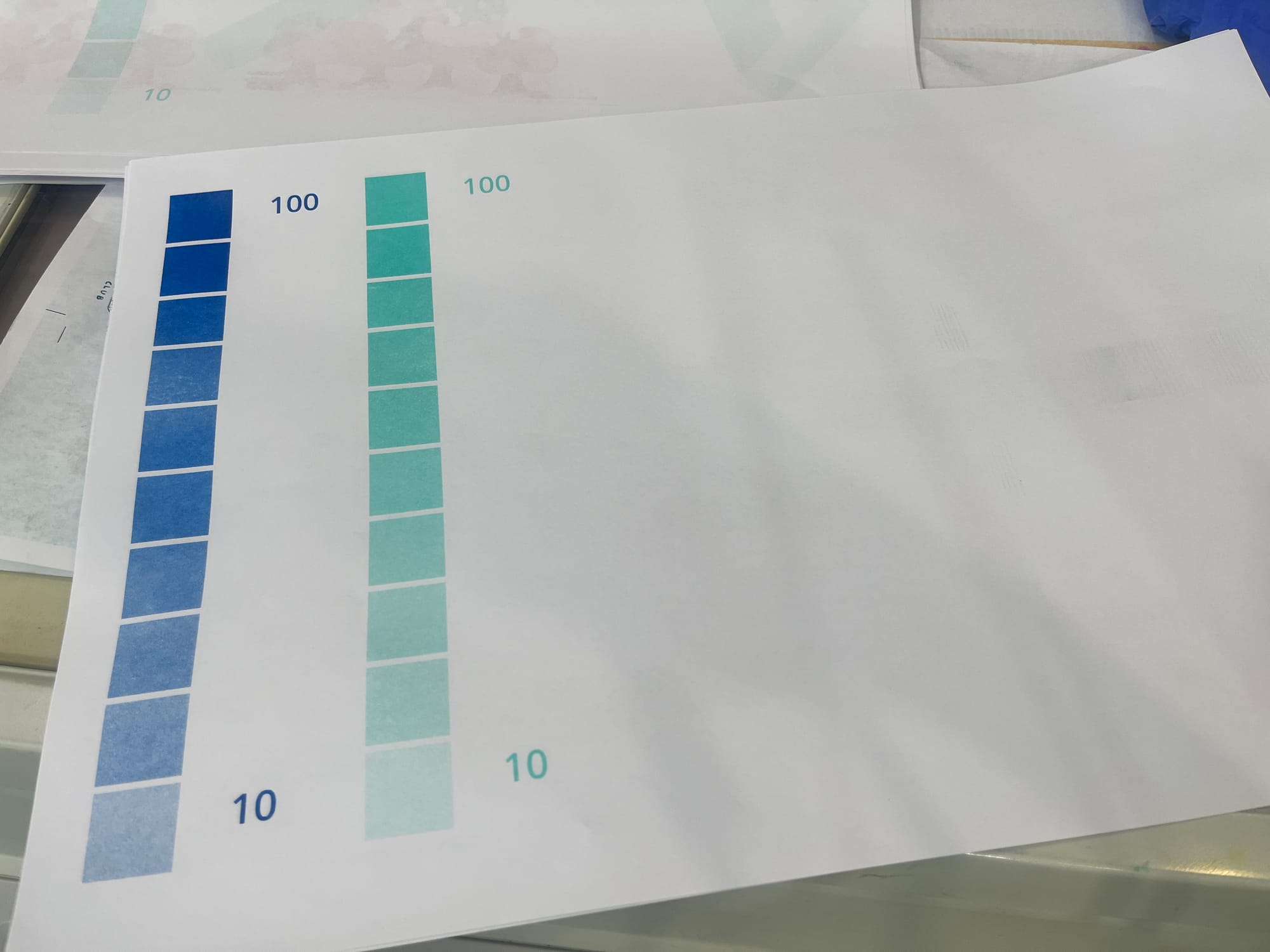
Still, I did achieve my main goal: getting the ink to flow more smoothly. I also managed to print more sheets for the ink density swatch chart I started yesterday. So I’m calling this a win!
Lastly, here’s something I learned today—what to do when the machine keeps showing an error even though there shouldn’t be one:
Turn off the machine.
Hold down the reset button while turning it back on.
Keep holding the reset button for about 5–10 seconds.
This helps “correct” the machine’s confusion, and even if a new error appears, it’ll be a more accurate one—so you can actually fix it and get things back to normal!